




Why Is My iPad Typing or Tapping by Itself?
If your iPad starts opening apps, typing random letters, scrolling without input, or registering taps you never made, the problem is commonly known as ghost touch.
Ghost touch happens when the touchscreen detects input even though you are not touching the display. It can begin as an occasional nuisance and gradually become serious enough to make the iPad difficult to control.
In some cases, the cause is relatively simple, such as a charger creating electrical interference. In others, the problem may involve cracked glass, a failing digitizer, frame damage, moisture, an internal connector, or another hardware fault.
For iPad owners in Southgate, MI, professional iPad ghost touch repair can help determine whether the issue is coming from the screen assembly, charging equipment, internal connections, or the device's circuitry.
What Does Ghost Touch Look Like on an iPad?
An iPad affected by ghost touch may behave as though someone else is using the screen.
You might see apps opening unexpectedly, letters appearing while you type, pages scrolling on their own, buttons activating without being touched, or the screen responding in an area far from where your finger is placed.
Some iPads only show the problem occasionally. Others may become almost impossible to use because false touches happen continuously.
The pattern matters during diagnosis. If the unwanted touches consistently appear in one section of the display, that may point toward a damaged digitizer. If the problem only happens while charging, the charger, cable, or charging system may need closer inspection.
Cracked Glass Can Affect Touchscreen Performance
Physical screen damage is one of the more common causes of ghost touch.
An iPad can continue displaying a perfectly clear image even when the touch-sensitive layer underneath has been damaged. This is because the part that produces the image and the part that detects touch are not always affected in the same way.
A drop may crack the outer glass, damage the digitizer, or change the way the display sits against the frame.
Even a relatively small crack can sometimes create unstable touch behavior, particularly if the damage is close to the edge of the screen.
If ghost touch began shortly after the iPad was dropped or the glass was cracked, physical damage should be considered one of the first possibilities.
A Failing Digitizer May Be Responsible
The digitizer is responsible for detecting where your fingers touch the screen.
When it begins to fail, touch input can become inaccurate or completely unpredictable.
You may notice random taps, sections of the screen that stop responding, multiple characters appearing when you type, or touches registering in the wrong location.
A failing digitizer does not necessarily look damaged from the outside. An iPad can have clean glass and a normal-looking display while still experiencing touch-layer failure.
This is why professional iPad ghost touch repair should involve testing touch response rather than simply looking for visible cracks.
Frame Pressure Can Create False Touches
The condition of the iPad's frame can also affect the touchscreen.
If the device has been dropped, bent, sat on, or compressed inside a bag, the frame may no longer hold the display evenly.
That uneven pressure can interfere with the digitizer and create false touches.
Sometimes the symptoms become worse when the iPad is held a certain way or when pressure is applied near one edge.
Trying to press the screen back into position or bend the frame yourself is not recommended. Additional pressure can crack the glass, damage the display, or worsen internal problems.
A technician can inspect whether the frame is distorted and whether that distortion is affecting the screen assembly.
Moisture Can Cause Erratic Touchscreen Behavior
Liquid exposure does not always cause an iPad to stop working immediately.
Moisture can enter around damaged glass, ports, buttons, or weakened seals and begin affecting internal connectors or circuitry.
Ghost touch may appear along with flickering, charging problems, touchscreen dead zones, rapid battery drain, or random shutdowns.
Corrosion can also develop gradually after the original liquid exposure, which means touchscreen problems may appear later rather than immediately.
If ghost touch started after a spill or other moisture exposure, repeatedly charging or testing the device can sometimes make an electrical problem worse. The safer approach is to have the iPad inspected for signs of moisture or corrosion.
Chargers Can Sometimes Cause Ghost Touch
If the problem happens only while the iPad is plugged in, pay attention to the charger and cable.
Damaged or poor-quality charging accessories can sometimes create unstable electrical conditions that interfere with touchscreen behavior.
Disconnect the charger and use the iPad normally for a short period. If the ghost touch disappears completely, try a known-good compatible charging cable and adapter.
If the problem immediately returns with one particular charger but not another, the accessory may be responsible.
If ghost touch continues when the iPad is running only on battery power, the cause is more likely inside the device.
Internal Connector Problems May Cause Intermittent Touch
The touchscreen and display connect to the iPad's internal board through small connectors.
Drops, previous repairs, frame flex, or internal damage can affect these connections.
A loose or damaged connector can produce intermittent symptoms. The touchscreen may work normally for a while, then begin registering random touches after the device is moved or warmed up.
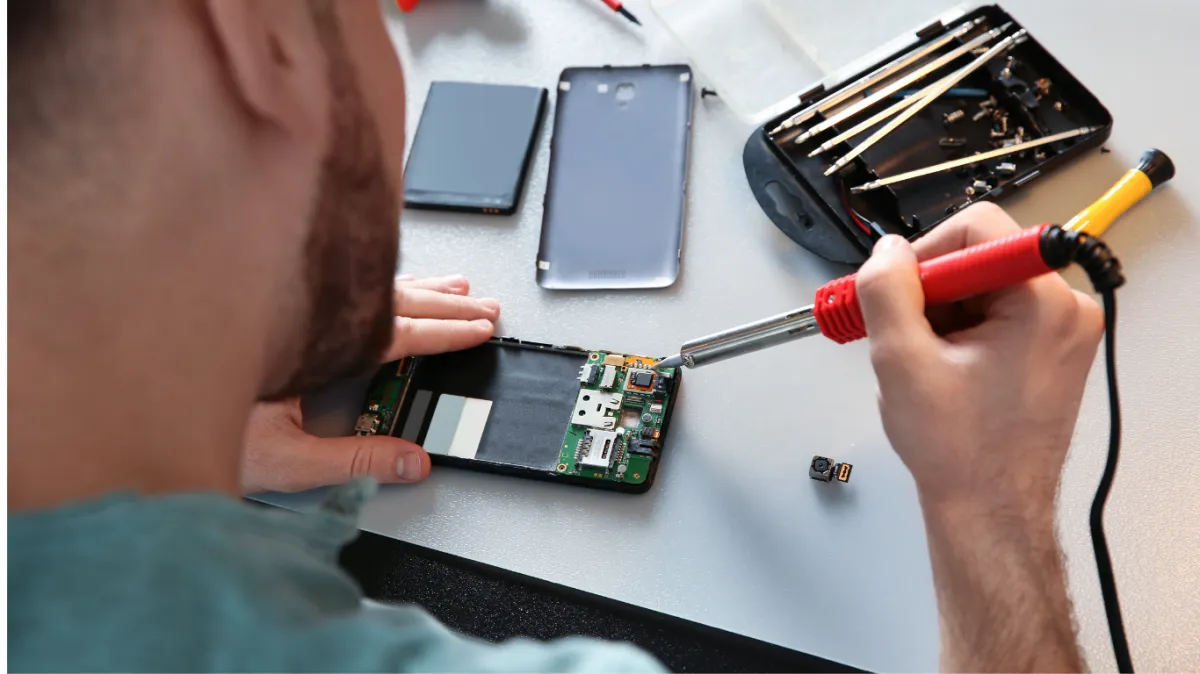
Because these connections are located inside the iPad, testing them requires proper disassembly.
Opening an iPad without the correct tools and experience can damage the screen, cables, battery, or frame, so this is not a practical at-home troubleshooting step.
Could It Just Be a Software Problem?
Software faults can sometimes imitate hardware-related ghost touch.
If the iPad is still controllable, restarting it is a reasonable first step. You can also consider whether the problem began after a software update, app installation, restore, or major settings change.
A temporary software issue may disappear after restarting.
However, ghost touch that appears across multiple applications, continues after rebooting, or consistently affects the same area of the display is more likely to involve hardware.
Software troubleshooting is useful because it helps eliminate simpler causes before replacing parts.
Safe Tests You Can Try Before Repair
There are a few low-risk checks you can perform without opening the device.
First, disconnect all charging accessories and observe whether the touchscreen behaves normally. Clean the display gently with a dry microfiber cloth, especially if there is moisture, oil, or residue on the glass. Inspect any screen protector for cracks, lifting edges, or trapped moisture.
Restart the iPad if the screen is still controllable enough to do so.
Then pay attention to whether the problem happens only while charging, only in one part of the screen, after the device warms up, or when the iPad is held in a certain position.
Avoid pressing hard on the screen or trying to flex the frame. Those actions may temporarily change the symptoms but can make physical damage worse.
When Should You Power the iPad Down?
Severe ghost touch can do more than make the device frustrating to use.
Power the iPad down if it begins:
Entering incorrect passcodes repeatedly
Opening payment or banking apps
Making unintended purchases
Deleting or moving files
Sending messages
Changing important settings
Becoming impossible to control reliably
Repeated incorrect passcode attempts can temporarily lock the device. Random input can also alter data before you realize what happened.
If the iPad is stable enough to use safely, backing up important photos, documents, contacts, and other data is a sensible precaution before the problem gets worse.
How Technicians Diagnose iPad Ghost Touch
Professional diagnosis begins by identifying whether the false touches are caused by the display assembly or something deeper inside the device.
A technician can test touch response across the entire screen and look for repeated false inputs, dead zones, delayed response, or abnormal sensitivity.
The glass, digitizer, display, and frame can also be inspected for impact damage or pressure points.
If charging appears to trigger the problem, the iPad can be tested with known-good charging accessories.
When necessary, internal connectors can be inspected for damage, looseness, contamination, or corrosion.
This process helps avoid replacing the screen when the actual problem is related to a connector, charger, frame, or board component.
When Does the Digitizer or Display Need Replacement?
If testing confirms that the digitizer is failing, the damaged screen component may need to be replaced.
The exact repair depends on the iPad model because some models use separate touch and display components while others integrate them more closely.
A proper diagnosis should identify which part is failing before replacement is recommended.
This matters because a screen that looks perfectly normal can still have a defective touch layer.
When Ghost Touch Is a Board-Level Problem
Not every ghost touch issue ends with a screen replacement.
Severe impact, liquid damage, damaged connectors, or electrical faults can affect circuitry responsible for touchscreen communication.
If a known-good display still produces the same symptoms, further board-level diagnostics may be necessary.
This is especially important when the iPad has a history of liquid exposure or significant physical damage.
iPad Ghost Touch Repair in Southgate, MI
An iPad that types, taps, or scrolls by itself should not be ignored, particularly if the problem is becoming more frequent.
The cause may be cracked glass, digitizer failure, frame pressure, moisture, charging interference, an internal connector, or a deeper hardware fault.
Moe-Bile Repair in Southgate, MI can inspect the device and determine what is actually causing the touchscreen to behave unpredictably.
Professional iPad ghost touch repair should focus on diagnosis first. By testing the touchscreen, display assembly, frame, charging behavior, connectors, and internal hardware, a technician can determine whether the problem requires a screen-related repair or more advanced work.
Having the device checked before ghost touch becomes severe can also reduce the risk of accidental passcode attempts, unwanted purchases, or unintended changes to important data.
