



Why Is My Tablet Stuck on the Startup Logo?
If your tablet powers on but never gets past the manufacturer logo, it may be caught in a boot loop or startup failure.
Sometimes the tablet repeatedly restarts and returns to the same logo. In other cases, it simply freezes there and never reaches the home screen.
This can happen for several reasons, including a failed software update, nearly full storage, corrupted system files, an unstable battery, a damaged power or volume button, liquid exposure, internal storage failure, or a motherboard fault.
For tablet owners in Southgate, MI, professional tablet boot loop repair can help determine whether the device has a software problem that can be corrected safely or whether the failure is being caused by damaged hardware.
The most important thing is to avoid making the situation worse, especially if the tablet contains photos, documents, work files, or other data that has not been backed up.
What Is a Tablet Boot Loop?
A boot loop happens when a tablet begins the startup process but cannot complete it.
You may see the brand logo, a loading screen, or an operating system animation before the device restarts and begins the process again.
Not every startup failure looks exactly the same. Some tablets stay frozen on the logo indefinitely. Others reboot every few seconds or several minutes.
The pattern can help during diagnosis.
A tablet that suddenly enters a boot loop after an update may have a software problem. A device that does the same thing after a drop, liquid exposure, or battery issue may have a hardware-related cause instead.
A Failed Software Update Can Prevent Startup
System updates make changes to important operating system files.
If an update is interrupted because the battery dies, the device loses power, storage is insufficient, or the installation fails, the tablet may no longer be able to complete startup.
This can leave the device stuck on the logo even though the hardware itself is still functioning.
In some cases, a forced restart is enough to allow the system to recover. In others, the operating system may need additional repair or restoration.
The important distinction is whether the user needs to preserve data.
Immediately performing a full factory reset or restoration can erase information that might still be recoverable.
Full Storage Can Cause Startup Problems
Tablets need some available storage space for normal system operation.
When internal storage becomes extremely full, the operating system may struggle to create temporary files, install updates, manage application data, or complete startup processes.
A tablet that was already showing warnings about low storage before the boot loop began may have reached the point where the system can no longer start reliably.
Other clues may include previous sluggish performance, apps closing unexpectedly, failed updates, or difficulty saving new photos and files.
If important data is stored on the device, repeated reset attempts should be avoided until the condition of the storage and operating system has been assessed.
Corrupted Software Can Create a Boot Loop
Software corruption can happen even without a major update.
A failed app installation, damaged system file, interrupted restore, or internal software error can prevent Android, iPadOS, or another operating system from loading correctly.
The tablet may still power on because the basic hardware is working, but the operating system cannot complete its startup sequence.
A technician can often distinguish software-related boot problems from hardware faults by observing where startup fails, checking the device's behavior in diagnostic or recovery modes, and evaluating whether the system can communicate normally with external diagnostic equipment.
Battery Instability Can Cause Repeated Restarts
A weak or deteriorating battery can also make a tablet appear to have a software problem.
Startup requires a significant burst of power.
If the battery voltage drops too far under load, the tablet may shut down or restart before it finishes booting.
The process then starts again, creating what looks like a boot loop.
Battery-related warning signs may include rapid battery drain, unexpected shutdowns, charging problems, inaccurate battery percentages, or a tablet that only stays powered on while connected to a charger.
Professional tablet boot loop repair may involve testing battery condition and power stability before assuming the operating system is at fault.
A Damaged Button Can Keep Triggering Startup Commands
Power and volume buttons are involved in several startup and recovery functions on tablets.
If one of these buttons becomes physically stuck, damaged, or internally shorted, the tablet may continually receive an input that changes how it boots.
This can happen after a drop, frame damage, worn button mechanisms, or debris around the button.
A damaged power button can also cause repeated restarts by constantly triggering the device's power function.
If the problem began after impact near the edge of the tablet, the buttons and surrounding frame should be inspected as part of the diagnosis.
Liquid Exposure Can Cause Unpredictable Boot Problems
Liquid damage does not always result in an immediate dead device.
Moisture can reach connectors, charging circuits, storage components, or the motherboard and create intermittent faults.
A tablet may continue working temporarily before later developing boot loops, charging issues, touchscreen problems, or random shutdowns.
Corrosion can also progress over time.
If your tablet became stuck on the startup logo after a spill or other liquid exposure, avoid repeatedly charging, restarting, or restoring it.
Further electrical activity can sometimes worsen corrosion or damage already-compromised components.
Internal Storage Can Fail
Modern tablets rely on internal flash storage to hold the operating system, applications, and user data.
If that storage begins to fail, the device may no longer be able to read the files it needs to complete startup.
Storage failure can sometimes appear gradually.
Before the tablet becomes stuck on the logo, you may notice apps crashing, files failing to save, unusually slow performance, update failures, or random freezes.
This type of problem is especially important when data recovery is a priority.
Repeated software restoration attempts may overwrite information or make recovery more difficult, depending on the failure and device.
Motherboard Problems Can Also Cause Boot Loops
A startup loop is not always caused by software or storage.
Damage to power-management components, charging circuitry, processors, connectors, or other motherboard components can prevent the tablet from completing its startup sequence.
Board-level problems are more likely when the device has experienced a severe drop, liquid exposure, overheating, previous internal repair, or electrical damage.
The tablet may still display the startup logo because some systems are working, while another critical component fails as soon as the device moves into the next stage of startup.
This is why replacing the battery or restoring the software without proper testing may not solve the problem.
Is a Forced Restart Safe?
A forced restart is usually a reasonable first step if the tablet suddenly freezes on the logo and there are no signs of severe hardware damage.
The exact button combination varies by model, so it is important to use the correct method for the device.
A single forced restart can clear a temporary system freeze without deleting user data.
However, repeatedly forcing the tablet to restart over and over is unlikely to repair a persistent boot loop.
If the device continues returning to the same startup screen, further troubleshooting should focus on identifying the cause rather than repeatedly cycling the power.
Prioritize Your Data Before Performing a Reset
If the tablet contains important information that is not backed up, be cautious with factory resets, restores, and software flashing.
These procedures may erase user data.
That can be particularly important when the real problem is corrupted software, failing storage, or a motherboard fault and the information on the device may still be recoverable.
Before performing a full restoration, consider whether losing the tablet's stored data would be acceptable.
If the answer is no, it is better to stop before performing destructive troubleshooting and have the device evaluated.
Data preservation and device repair are sometimes two different priorities, and the repair approach should reflect which one matters most.
A Cautious Troubleshooting Sequence
Start with the least invasive steps.
Make sure the tablet has sufficient battery charge using a known-good compatible charger. If the device is not excessively hot, swollen, or showing signs of liquid damage, allow it time to charge.
Next, try one correct forced restart.
If the tablet starts normally afterward, back up important data as soon as possible.
If it remains stuck on the logo, note whether it restarts repeatedly, stays frozen, becomes unusually warm, or behaves differently when connected to power.
At that point, avoid repeated resets or restoration attempts if the data is important.
Those observations can provide useful clues during professional diagnosis.
How Technicians Diagnose Tablet Boot Loops
Professional tablet boot loop repair starts by separating software failure from power, storage, button, and motherboard problems.
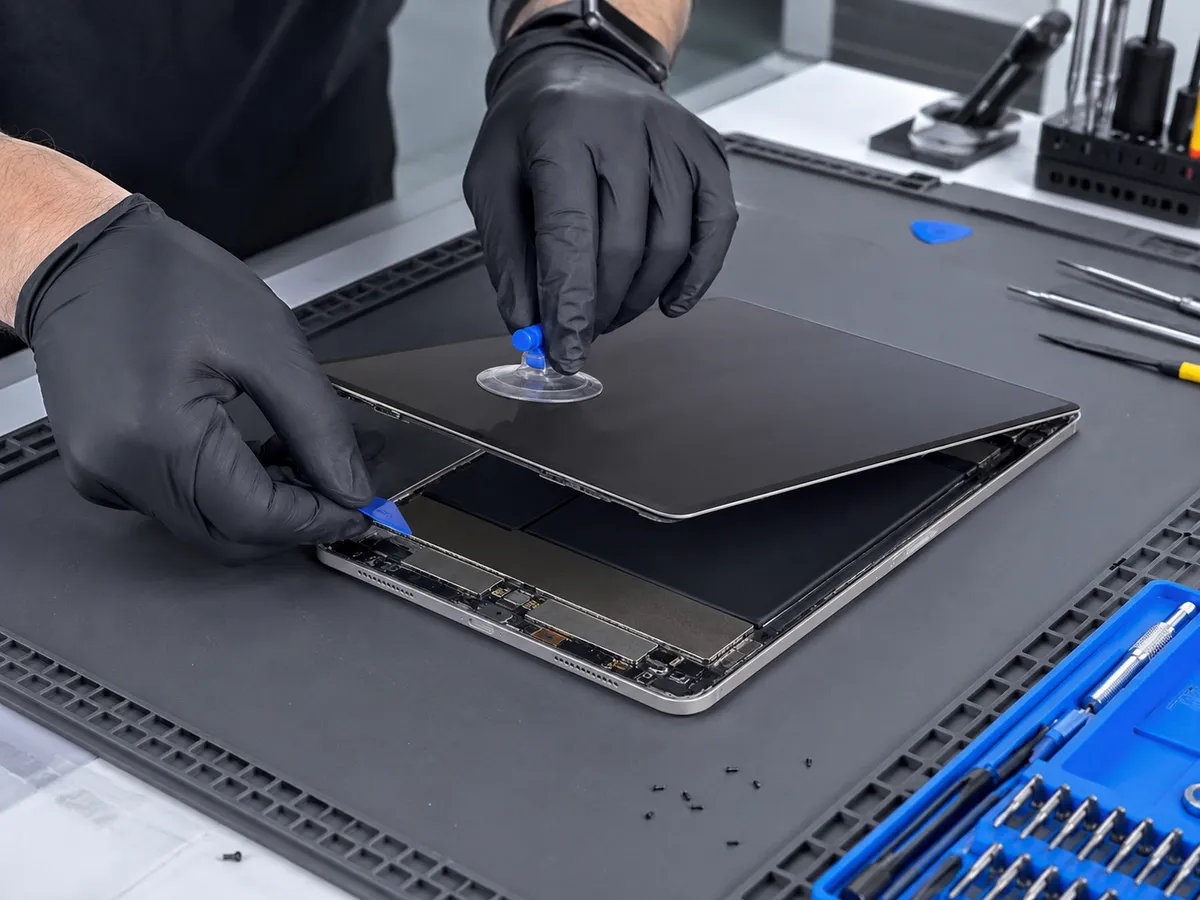
A technician may test battery stability, charging behavior, button function, internal connectors, and signs of liquid or impact damage.
The device may also be checked to see whether it can enter diagnostic or recovery modes and whether the internal storage is responding normally.
If the hardware appears stable, software repair may be considered.
If the tablet continues failing even with stable power and known-good software conditions, deeper storage or motherboard diagnostics may be necessary.
This process helps avoid unnecessary parts replacement and reduces the risk of erasing data before the actual cause is understood.
Tablet Boot Loop Repair in Southgate, MI
A tablet stuck on the startup logo does not automatically mean the device is beyond repair.
The problem may come from a failed update, corrupted software, full storage, a deteriorating battery, damaged buttons, liquid exposure, storage failure, or a motherboard fault.
Moe-Bile Repair in Southgate, MI can evaluate the tablet and determine which part of the startup process is failing.
Professional tablet boot loop repair is especially important when important data is stored on the device, because the wrong troubleshooting step can erase information that may otherwise have been recoverable.
If your tablet repeatedly restarts or refuses to move past the startup logo, having it properly diagnosed before attempting repeated resets or restorations can help protect both the device and the data stored inside it.
