



Xbox Turns On Then Shuts Off | Repair in Southgate, MI
Why Does My Xbox Turn On and Then Shut Off?
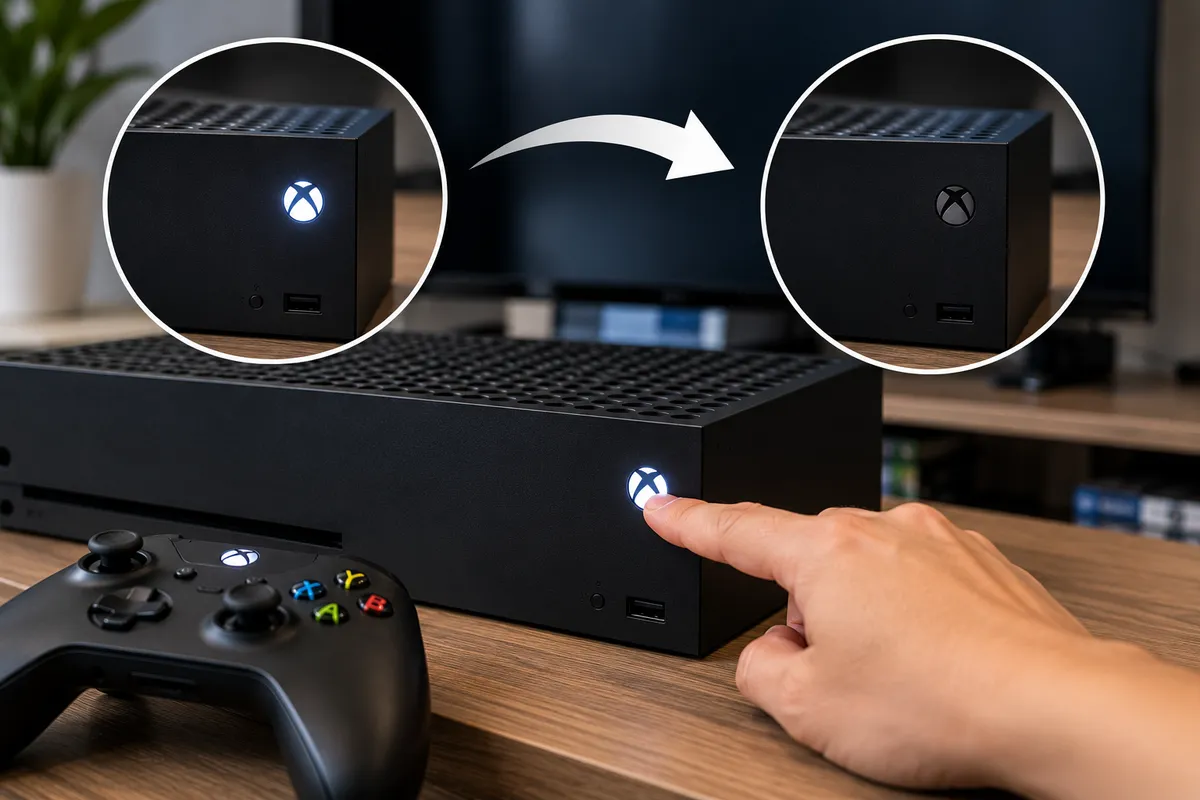
If your Xbox powers on, lights up, or begins to start and then shuts itself off, the console is usually protecting itself from a power, heat, or hardware problem. The cause can range from blocked airflow and a failing cooling fan to an unstable power supply or motherboard fault.
Repeated shutdowns are not normal. Restarting the console over and over may temporarily get it running, but it does not identify why power is being interrupted and can add stress if an electrical or heat-related fault is present.
For Xbox owners in Southgate, MI, Moe-Bile Repair offers game console repair services for major systems including Xbox Series X and Xbox Series S. Proper diagnosis can separate a simple ventilation or accessory problem from a power-supply or board-level failure.
What Does It Mean When an Xbox Turns On and Shuts Off?
An Xbox that shuts down shortly after startup is losing stable power or detecting a condition that tells the system to power itself off. It may shut down almost immediately, after the startup sound, while loading a game, or only after it has been running for several minutes.
The timing can offer clues. An instant shutdown may point more strongly toward power delivery, a short circuit, or a board fault. A console that stays on for a while and then shuts down under load may be overheating or failing when power demand increases. These patterns help diagnosis, but several faults can produce the same symptom.
Overheating Is One of the First Things to Rule Out
Modern Xbox consoles monitor internal temperature and may shut down to protect the processor and other components if heat rises too far. Blocked vents, heavy dust buildup, poor placement, or a cooling fan that is not moving enough air can all increase internal temperature.
A console pushed tightly against a wall or placed inside a closed entertainment cabinet may have trouble exhausting warm air. If the Xbox feels unusually hot before it shuts down, move it to an open, hard surface with clear space around the vents and let it cool completely before testing again.
If the shutdown returns with good ventilation, the cooling system may need inspection. A technician can check fan operation, airflow, internal dust buildup, and temperature behavior before assuming the motherboard is defective.
Power Supply Problems Can Make an Xbox Shut Off
An unstable power supply can let the console begin startup but fail when demand increases. Before assuming internal power hardware is damaged, test a different wall outlet and make sure the power cable is fully seated. Avoid testing through an overloaded extension cord, damaged surge protector, or questionable power strip.
If you have another compatible power cable that is known to work, testing it can help rule out a simple external cause. If the Xbox repeatedly shuts down across different outlets and with a known-good cable, internal power delivery becomes more likely. Xbox Series consoles use internal power-supply hardware, so deeper testing should be left to a technician.
External Accessories Can Sometimes Cause Startup Problems
A connected USB device, external storage drive, or damaged peripheral can occasionally contribute to startup problems. With the Xbox fully powered down, disconnect nonessential accessories and test it with only the required power and display connections.
If it remains stable, reconnect accessories one at a time. This can identify whether an external device is contributing without opening the console.
Could Dust Cause the Xbox to Turn Off?
Yes, especially when dust restricts airflow or coats the fan and heatsink. Visible dust around exterior vents can be a clue, but it does not reveal the full internal condition.
If the system shuts down only after gaming for a while, heat and airflow deserve closer attention. If it shuts down within seconds while still cool, another electrical or hardware problem may be more likely. Avoid inserting tools into the vents or aggressively forcing air into the console, as that can damage components or move debris deeper inside.
Internal Shorts and Motherboard Faults Can Cause Immediate Shutdown
If the power supply and cooling system appear normal, the problem may be deeper inside the console. A damaged component, shorted circuit, failed power-management part, or motherboard fault can cause the Xbox to protect itself by shutting down.
This becomes more likely after a drop, liquid exposure, previous repair, or electrical event. Board-level diagnosis requires proper tools and measurements because power-supply, short-circuit, and overheating faults can look similar from the outside.
Liquid Exposure Should Be Taken Seriously
An Xbox may continue working after a spill or moisture exposure and develop power problems later. Liquid can corrode connectors and board components or create electrical paths that were never supposed to exist.
If shutdowns began after liquid exposure, avoid repeatedly powering the console on to test it. Tell the technician about the exposure even if it happened days or weeks earlier, because that history changes what should be inspected and can prevent the repair from focusing only on the most obvious symptom.
What Can You Safely Try at Home?
Start with simple checks that do not require opening the console. Power the Xbox down completely, disconnect it for several minutes, make sure the vents have clear space, test a reliable wall outlet, and confirm the power cable is seated securely.
Disconnect nonessential USB accessories and external drives, then try one controlled startup. Pay attention to whether the fan starts, whether the console feels unusually hot, and how long it stays powered on.
Stop testing if you notice a burning smell, smoke, severe heat, clicking or electrical noises, visible liquid damage, or repeated instant shutdowns. Those signs justify professional inspection rather than more power cycles.
Avoid Factory Resets Until You Know the Problem
A console that shuts off unexpectedly is usually not a good candidate for repeated resets or software restoration as the first troubleshooting step. A factory reset will not repair a failing power supply, damaged fan, short circuit, or motherboard fault.
Depending on the reset option and how your account or game data is configured, it may also remove locally stored information or settings without solving the shutdown. When the console cannot remain powered on reliably, power stability and hardware condition should be established first.
How Technicians Diagnose an Xbox That Keeps Shutting Off
Professional diagnosis should follow the failure rather than start by replacing random parts. A technician may first reproduce the shutdown and note whether it occurs immediately, during startup, or only after the console has warmed up.
Testing can then focus on power input, power-supply behavior, fan operation, airflow, temperature, signs of liquid or impact damage, and internal connections. If those areas do not explain the symptom, board-level testing may be needed to identify abnormal power draw or a failed component.
This staged approach separates a straightforward cooling or power problem from a more complex motherboard repair and helps determine whether repair makes sense.
Xbox Repair in Southgate, MI
An Xbox that turns on and then shuts off is telling you that something is preventing stable operation. The cause may be overheating, restricted airflow, a failing fan, power-supply trouble, a connected accessory, liquid damage, or an internal motherboard fault.
Moe-Bile Repair provides console diagnostics and repair from its Southgate, MI location and lists Xbox Series X and Xbox Series S among the gaming systems it services. The goal is to identify why the console is losing power before recommending a repair.
If basic outlet, cable, ventilation, and accessory checks do not stop the shutdowns, contact Moe-Bile Repair to have the Xbox evaluated. Catching a cooling or power problem before repeated shutdowns continue can help reduce additional stress on the console and give you a clearer idea of the repair options available.
